
DraftPro
AI Contract Drafting Software for Playbook-Guided Redlines in Microsoft Word
DraftPro
Apply approved playbook guidance, find trusted clause language, and prepare surgically redlined edits directly in Microsoft Word.
DraftPro helps legal teams revise third-party paper and negotiate drafts faster, with approved standards, preferred clause language, and lawyer-controlled edits built into the drafting workflow.
PLAYBOOK-DRIVEN
Review contracts against approved legal standards.
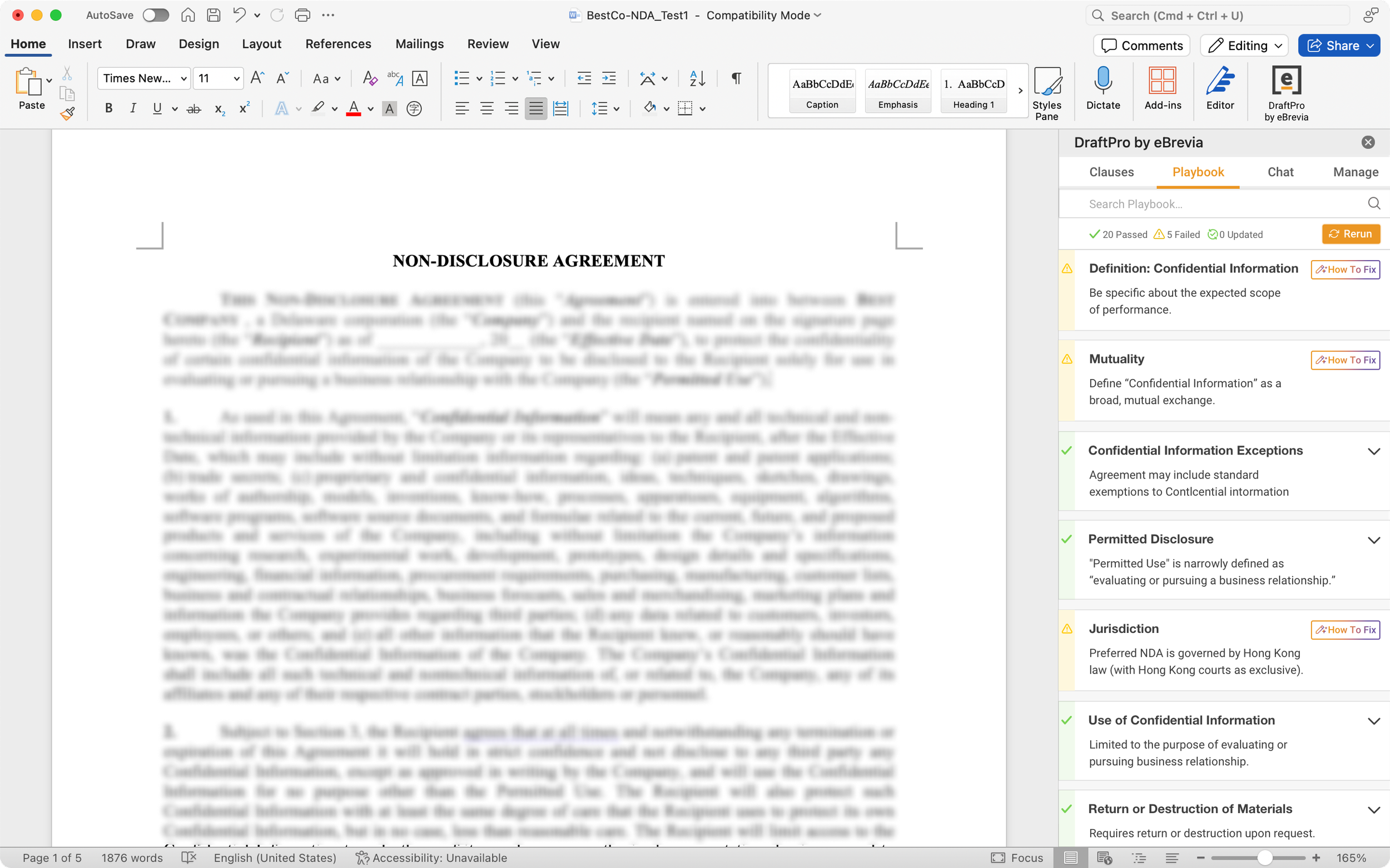
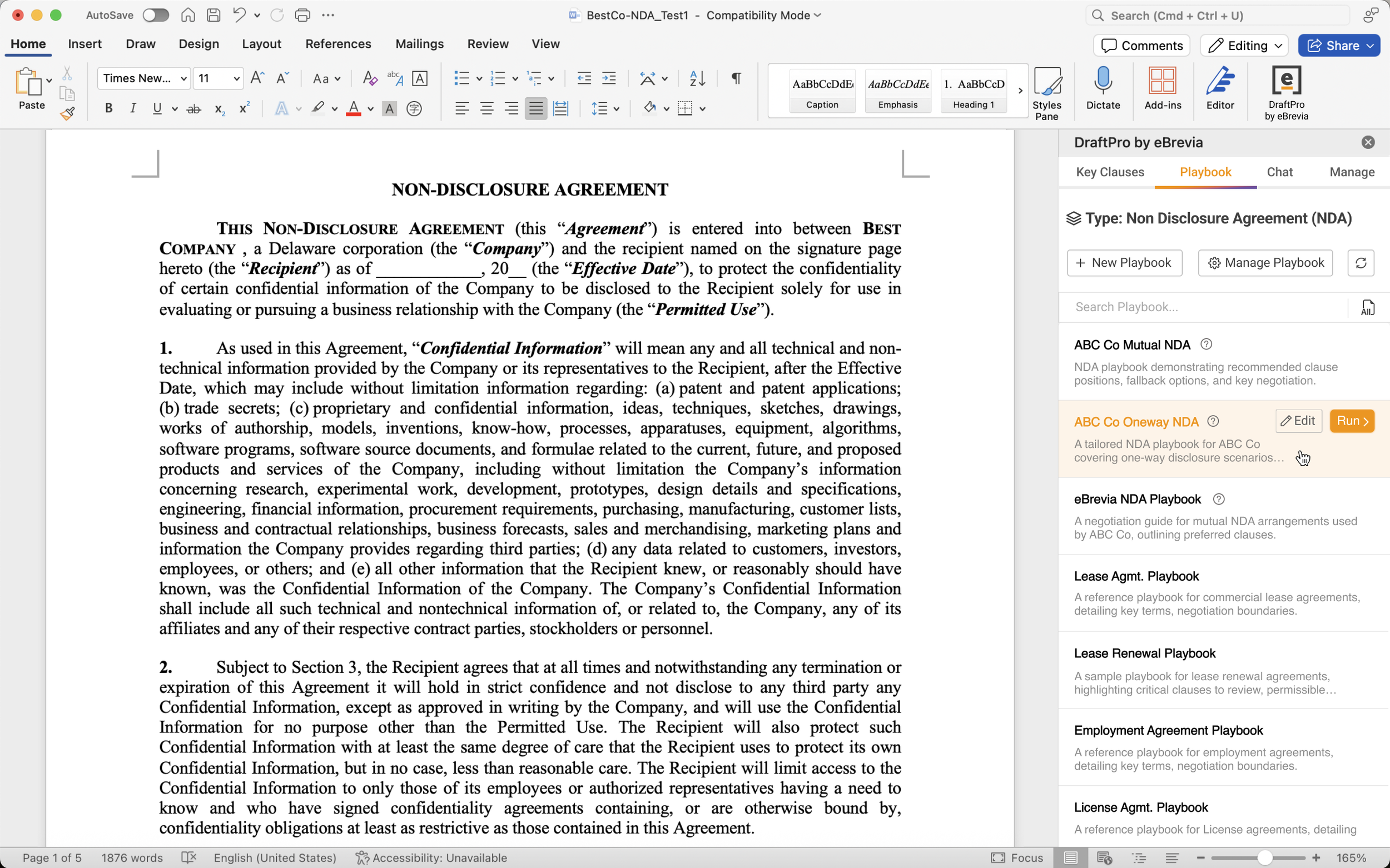
Run playbooks directly inside Microsoft Word
Identify terms that pass or fail your review standards
Use AI to help classify the document type and surface relevant playbooks
Review suggested changes before applying them
Use playbooks for common agreements like NDAs, vendor agreements, MSAs, employment agreements, data privacy agreements, and other repeat contract types
PRACTICAL
Turn playbook findings into Word redlines.
See where contract language may need attention
Review why a provision passed or failed
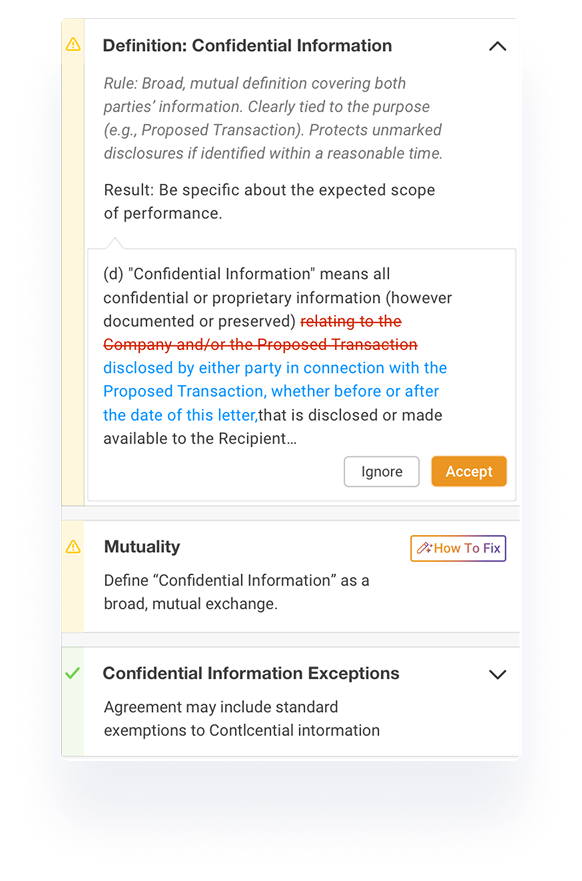
Apply suggested revisions as redlines in Word
Keep lawyers in control of every change
Prepare cleaner drafts for counterparty review
CLAUSE-BASED
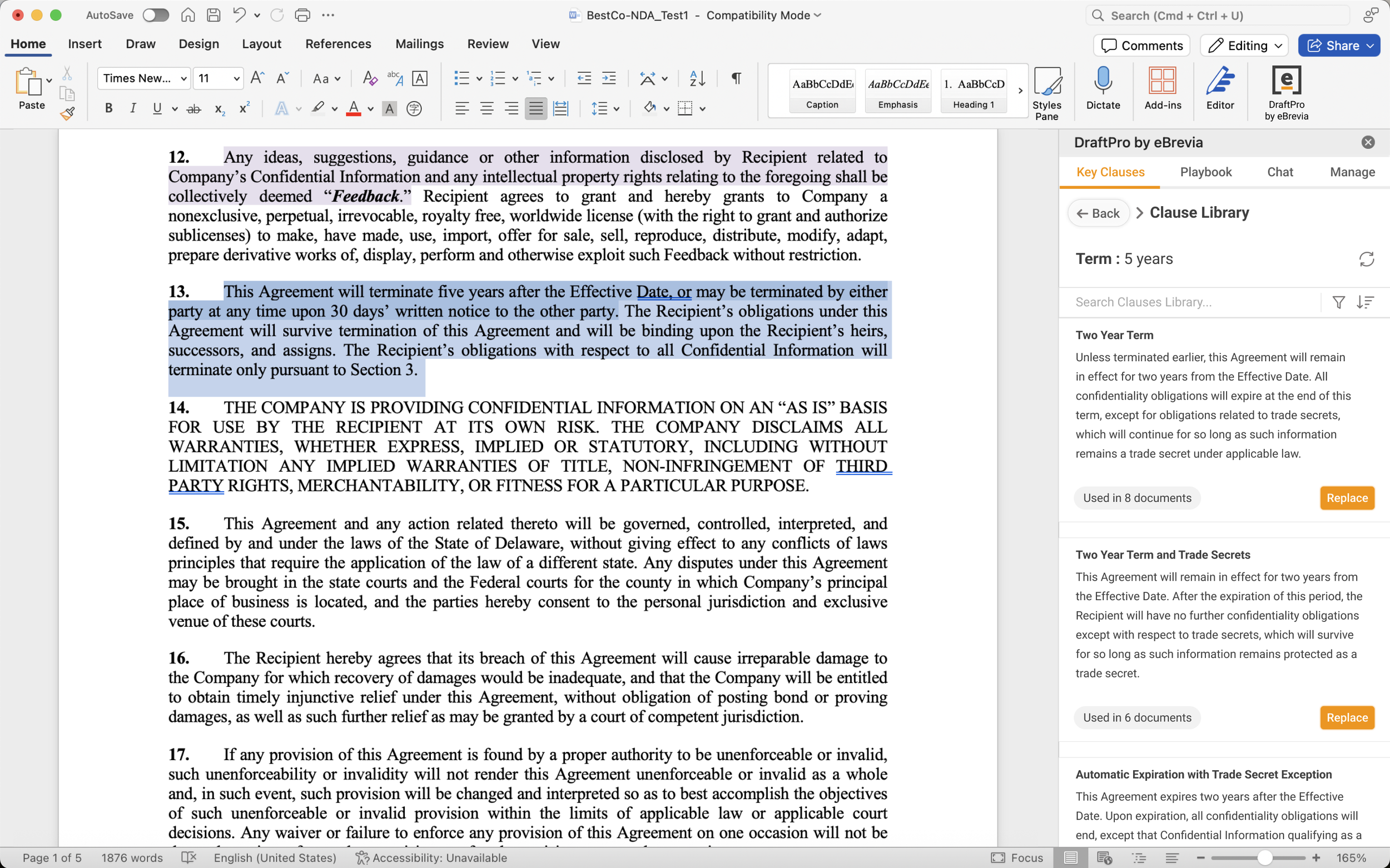
Search an AI-created clause library from your prior contracts
Automatically created from agreements already stored in eBrevia
No manual clause library setup required
Find clauses from prior agreements
Filter by context, contract type, project, matter, or jurisdiction
Insert or replace clauses when drafting or revising contracts
Reduce time spent searching through old folders, emails, and prior drafts
WORD-NATIVE
Work where contracts already live.
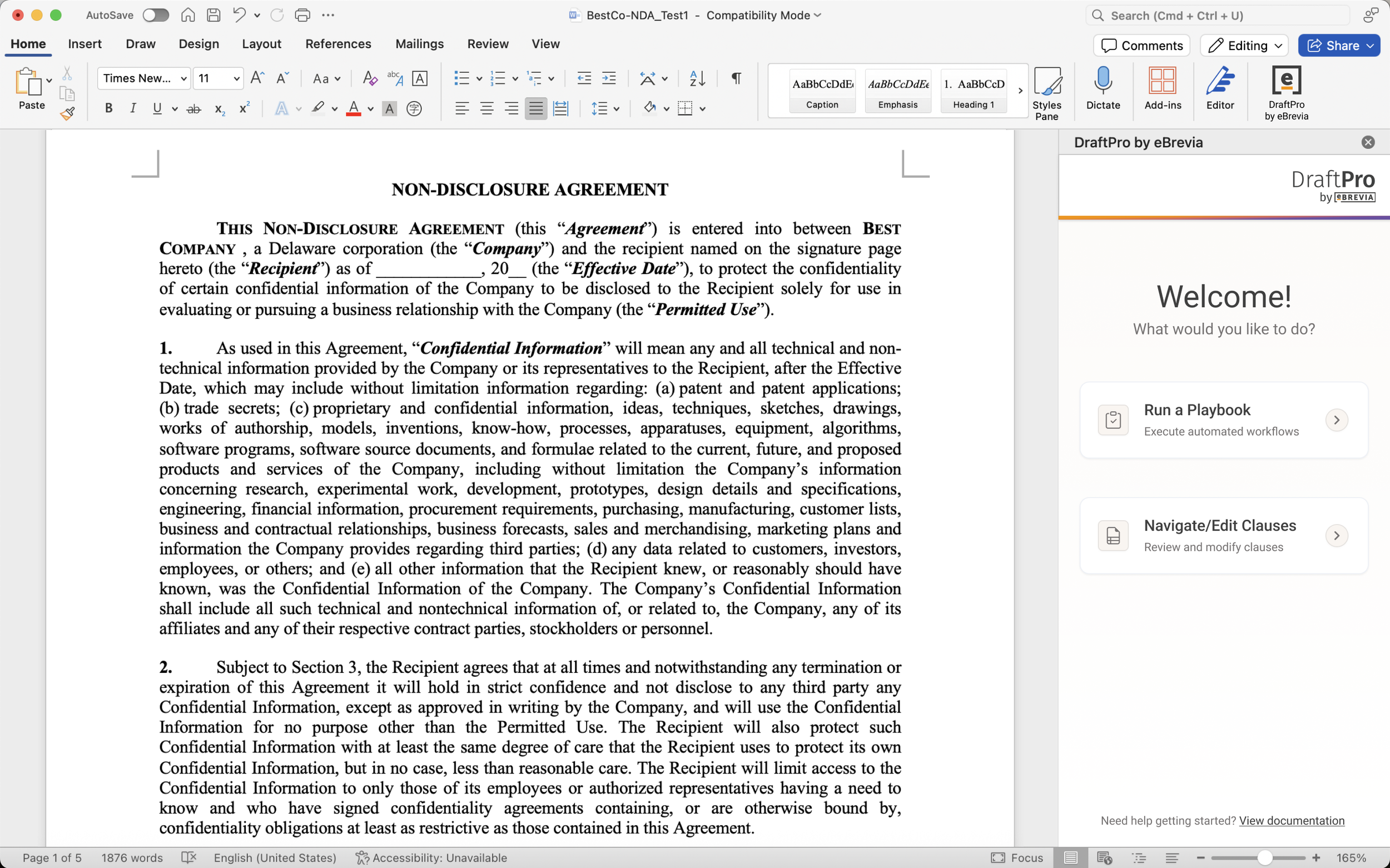
Access DraftPro as a Microsoft Word add-in
Review, revise, and redline without switching tools
Navigate to relevant language in the document
Works with Microsoft Word and Word for Office 365
Keep the drafting process familiar for legal teams

SECURE
Built for sensitive contract work.
Works with the eBrevia contract repository
User access tied to the licensed eBrevia environment
SOC 2 certified
Supports encryption and modern privacy standards
Playbook-based contract revision
Apply your legal standards inside the draft
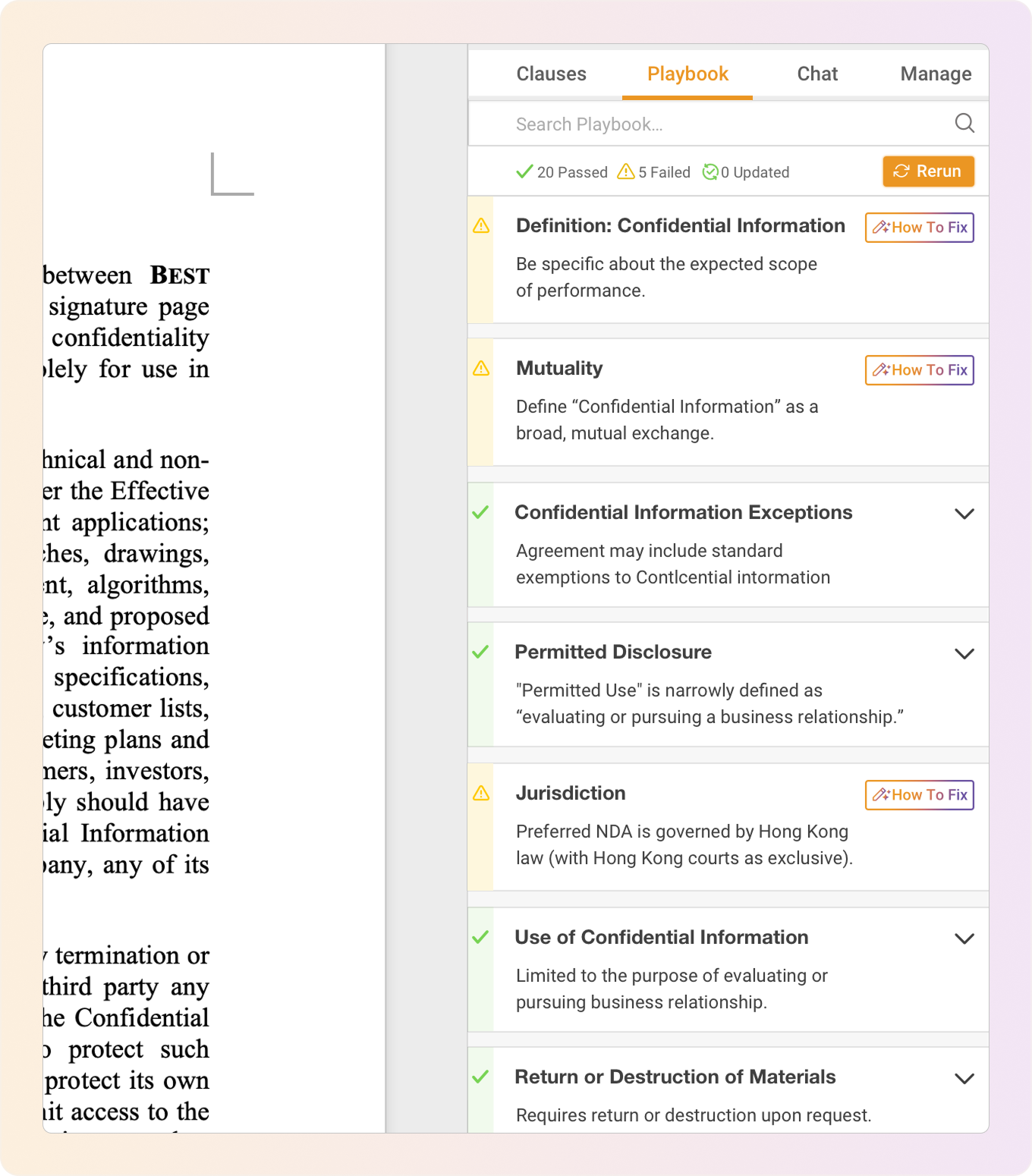
DraftPro helps legal teams compare contract drafts against approved playbook standards directly in Microsoft Word.
For NDAs and other repeat agreements, DraftPro can identify key terms such as confidentiality obligations, survival language, permitted use, disclosure rules, and other important provisions.
See which terms meet your standards, which terms need attention, and where suggested edits may be needed before the draft moves forward.
Redlined edits in Microsoft Word
Turn review findings into contract changes
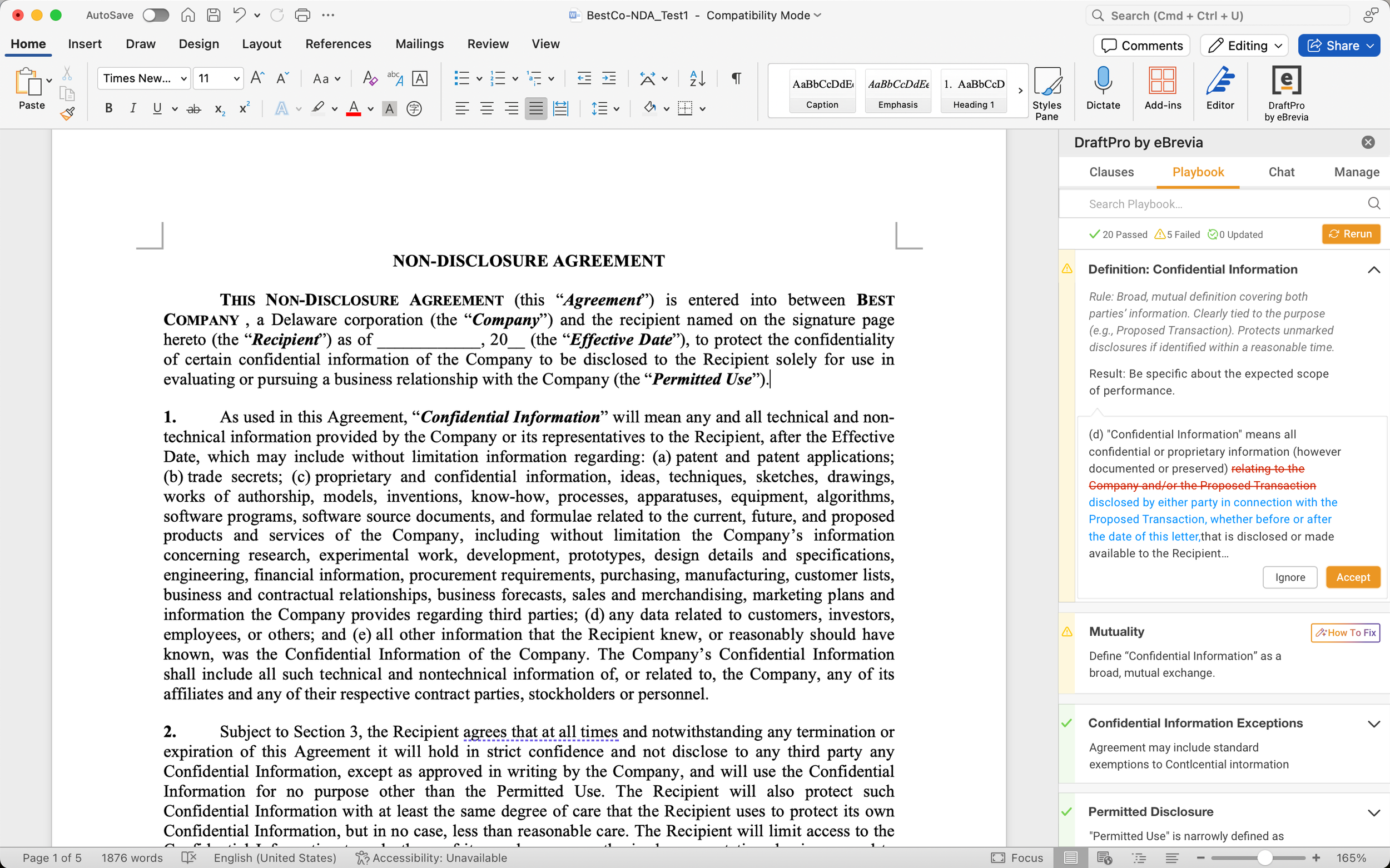
DraftPro helps legal teams move from issue spotting to contract revision.
When a provision does not match the playbook, DraftPro can suggest revised language that users can review and apply directly in Word as a redline.
Lawyers stay in control of every change while reducing repetitive drafting work.
Explore how you can draft, surgically redline and review NDAs, Employment Agreements, MSAs, Vendor Agreements in DraftPro, directly inside Word.
Agreement categories DraftPro supports
Useful across a wide range of contract workflows
DraftPro is designed for legal teams that review and revise many types of agreements across the business. The platform can support a broad range of document types, including common commercial, corporate, employment, privacy, financing, real estate, and industry-specific agreements.

Legal teams can use DraftPro to review everyday business agreements that support sales, procurement, partnerships, and vendor relationships. For example, teams can apply playbook standards to common agreements such as MSAs, vendor agreements, supply agreements, purchase orders, reseller agreements, and sales agreements.
Commercial and vendor agreements

DraftPro helps legal teams review agreements tied to employees, contractors, advisors, consultants, and service providers. Teams can use playbooks and preferred language to check common terms, identify non-standard language, and prepare targeted edits.
Employment and services agreements

DraftPro can support legal review of financing, lending, investment, and capital markets documents. Teams can use it to review common provisions, compare terms against internal expectations, and prepare redlines for repeat financing-related workflows.
Finance and capital markets documents

DraftPro can support legal review of financing, lending, investment, and capital markets documents. Teams can use it to review common provisions, compare terms against internal expectations, and prepare redlines for repeat financing-related workflows.
Energy, insurance & specialized industry agmts.

DraftPro can support review workflows involving corporate governance, ownership, financing, and strategic transactions. This can include documents such as board consents, stock purchase agreements, shareholder agreements, subscription agreements, investor rights agreements, and other transaction-related documents.
Corporate and transaction documents

For agreements involving software, data, privacy, intellectual property, or technology use, DraftPro can help legal teams review key provisions against internal standards. Examples may include data processing agreements, privacy-related agreements, software license agreements, IP licenses, and similar technology-focused documents.
Privacy, data, and technology agreements

Legal teams can also use DraftPro for agreements connected to real estate, facilities, insurance, leasing, and other operational needs. This helps teams bring more consistency to documents that may be reviewed regularly but are often handled across different business units.
Real estate, facilities, & operations docs

DraftPro can also help with documents that come up after an agreement is signed, such as notices, amendments, renewals, terminations, assignments, releases, and settlement-related documents. This helps legal teams manage follow-on contract work with the same consistency as front-end review.
Notices, amdt. & post-signature docs.
A review experience built for legal teams
Designed for how lawyers actually revise contracts
DraftPro fits into the contract workflow legal teams already use: review in Word, resolve issues through redlines, and negotiate through targeted edits.
With DraftPro, legal teams can review contracts against playbooks, navigate to relevant clauses, search for approved language, and apply redlined edits while staying in control of every drafting decision.
DraftPro does not replace legal review. It helps lawyers get to the right issues faster and make more consistent edits.
Key use cases
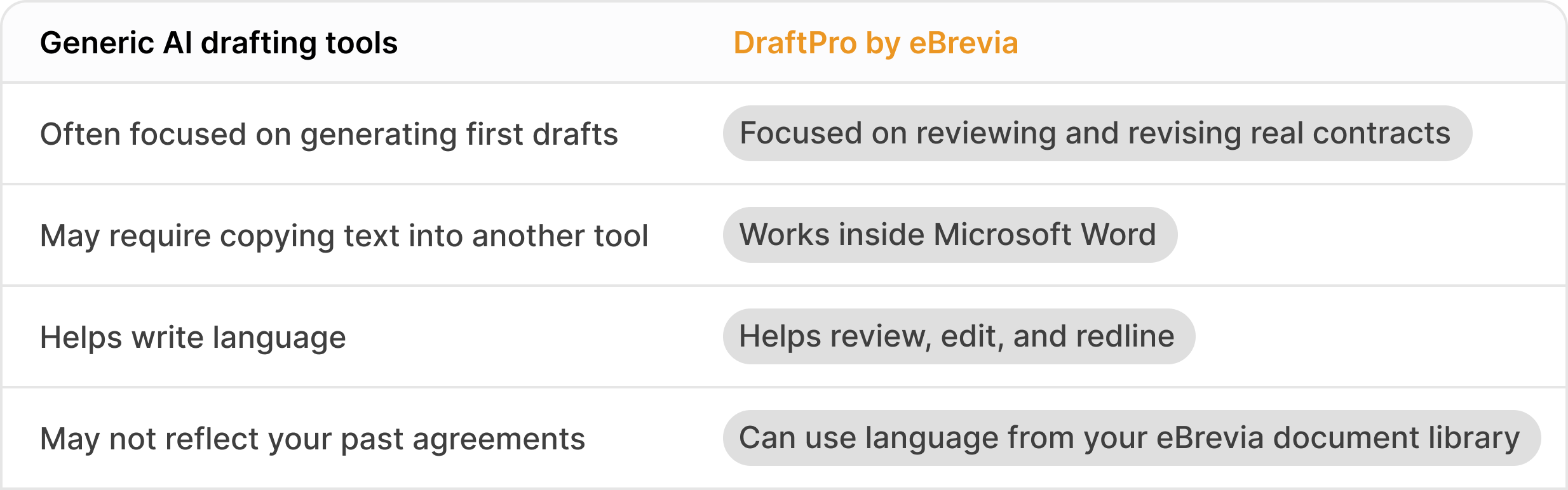
Not a blank-page drafting tool

Flexible for different contract workflows
Support review, drafting, and negotiation in one place
Review third-party paper
Check agreements against playbooks
Find preferred clause language
Replace non-standard provisions
Insert language from prior agreements
Prepare redlined drafts for negotiation
See how DraftPro helps legal teams in financial services, technology and SaaS streamline contract drafting and review.

Built by a team that knows contracts
Contract drafting is not just about writing polished language. It is about knowing which terms matter, where risk hides, and how lawyers actually negotiate.
DraftPro builds on eBrevia’s long experience in contract analysis and legal document review. That experience shapes how the product approaches playbooks, clause language, redlines, and legal workflow.
Frequently Asked Questions
-
DraftPro by eBrevia is AI contract drafting software that helps legal teams review agreements, apply playbook guidance, find approved clause language, and prepare redlined changes directly in Microsoft Word.
-
DraftPro allows users to run playbooks against contracts. It helps identify which terms pass the organization’s standards and which terms may need attention or revision.
-
Yes. DraftPro works as a Microsoft Word add-in, allowing legal teams to review and revise contracts inside Word.
-
Yes. When a contract provision does not match the playbook, DraftPro can suggest revised language. Users can review the suggestion and apply it as a redline in Word.
-
Yes. DraftPro can help users search clause language from agreements already stored in eBrevia. The clause library is automatically created by AI reviewing prior contracts in eBrevia, so users do not need to manually build or maintain a clause library before using DraftPro.
Users can find relevant language and use it to support drafting, clause replacement, or clause insertion.
-
DraftPro includes sample playbooks for several common agreement types, and legal teams can also create, edit, duplicate, and publish their own playbooks for use within their organization.
-
Yes. DraftPro can support a broad range of agreement types, including commercial, vendor, employment, privacy, technology, finance, corporate, real estate, and industry-specific agreements. Prebuilt playbooks are available for selected common agreement types, and teams can create custom playbooks for other workflows.
-
No. DraftPro is especially useful for reviewing and revising third-party contracts. It helps legal teams respond to drafts sent by customers, vendors, partners, and other counterparties.
-
Item description
Start reviewing and redlining contracts faster
See how DraftPro helps legal teams apply playbooks, find approved language, and prepare contract edits directly in Microsoft Word.
